Instagram is a popular social media platform that allows users to share photos and videos with their followers. However, there may come a time when you decide to take a break from the platform or even permanently delete your account. In this article, we will guide you through the process of deactivating or deleting your Instagram account


 4.In the settings menu, scroll down and select "Accounts Center".
5.On this page, scroll down and click on "Personal details", then select the last choice"Account ownership and control".
6.Select "Deactivation or deletion" and choose the account you want to delete or deactivate.
4.In the settings menu, scroll down and select "Accounts Center".
5.On this page, scroll down and click on "Personal details", then select the last choice"Account ownership and control".
6.Select "Deactivation or deletion" and choose the account you want to delete or deactivate.
 7.Choose"Deactive account" or "delete account"
8.Instagram will ask you to provide a reason for deleting your account. Select the appropriate reason from the dropdown menu.
9.Re-enter your password to confirm the deactivation or deletion.
7.Choose"Deactive account" or "delete account"
8.Instagram will ask you to provide a reason for deleting your account. Select the appropriate reason from the dropdown menu.
9.Re-enter your password to confirm the deactivation or deletion.
Deletion vs. Deactivation
Note
- Before deleting your account, you may want to log in and download a copy of your information (like your photos and posts) from Instagram.
- Keep in mind that you can only deactivate your account once a week.
How to Deactivate or Delete a account?
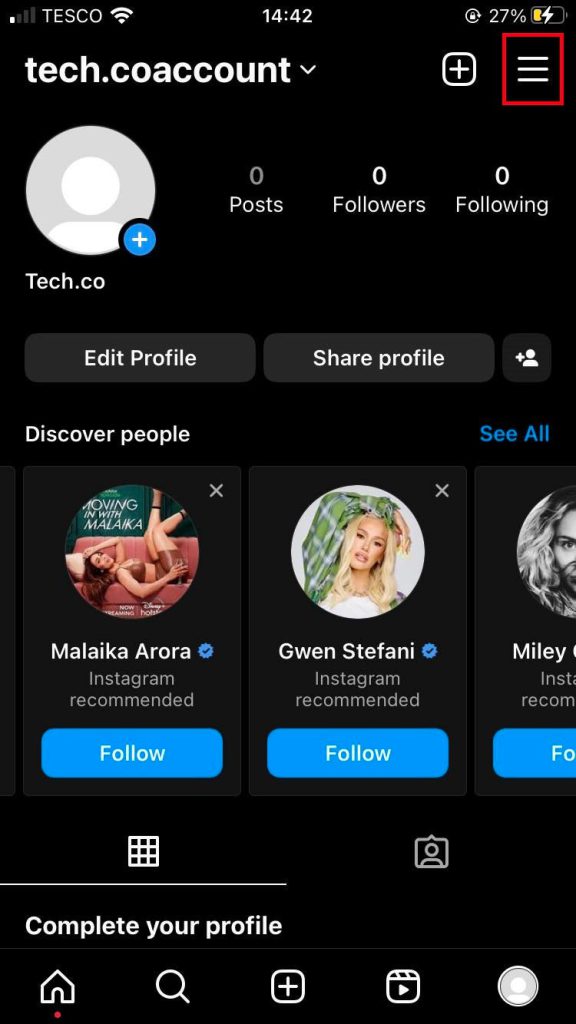
To deactivate or delete an Instagram account, you can follow these steps: 1.Log into your Instagram account on your mobile device. 2.Tap on your profile picture in the bottom right corner. 3.Tap on the three horizontal lines in the top right corner and select "Settings and Privacy".
4.In the settings menu, scroll down and select "Accounts Center".
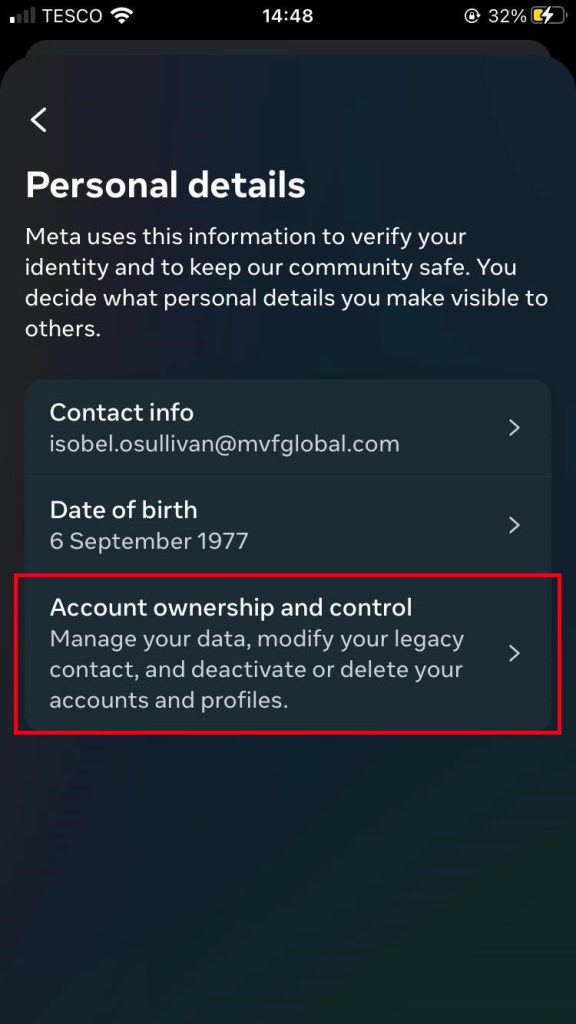
5.On this page, scroll down and click on "Personal details", then select the last choice"Account ownership and control".
6.Select "Deactivation or deletion" and choose the account you want to delete or deactivate.
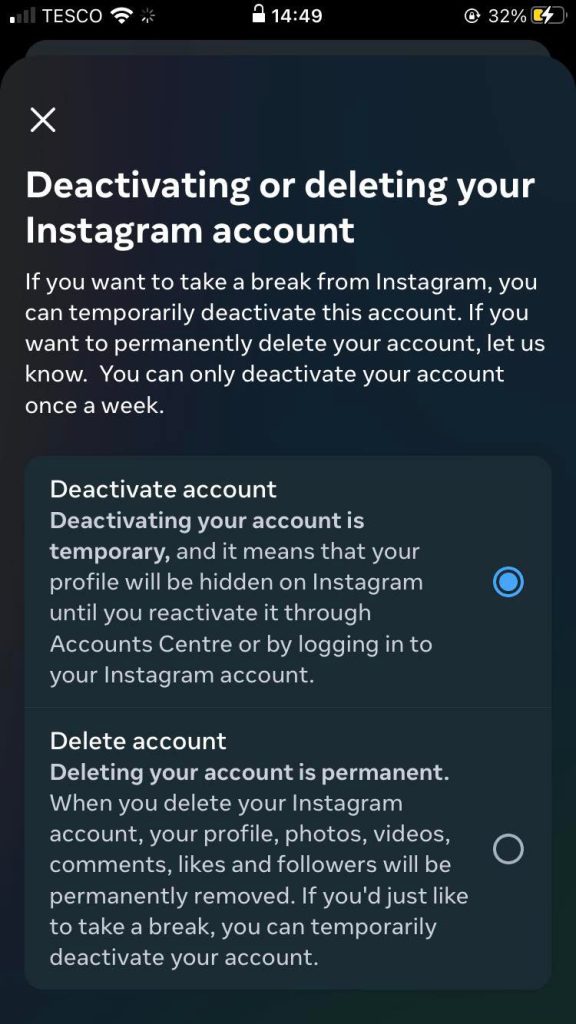
7.Choose"Deactive account" or "delete account"
8.Instagram will ask you to provide a reason for deleting your account. Select the appropriate reason from the dropdown menu.
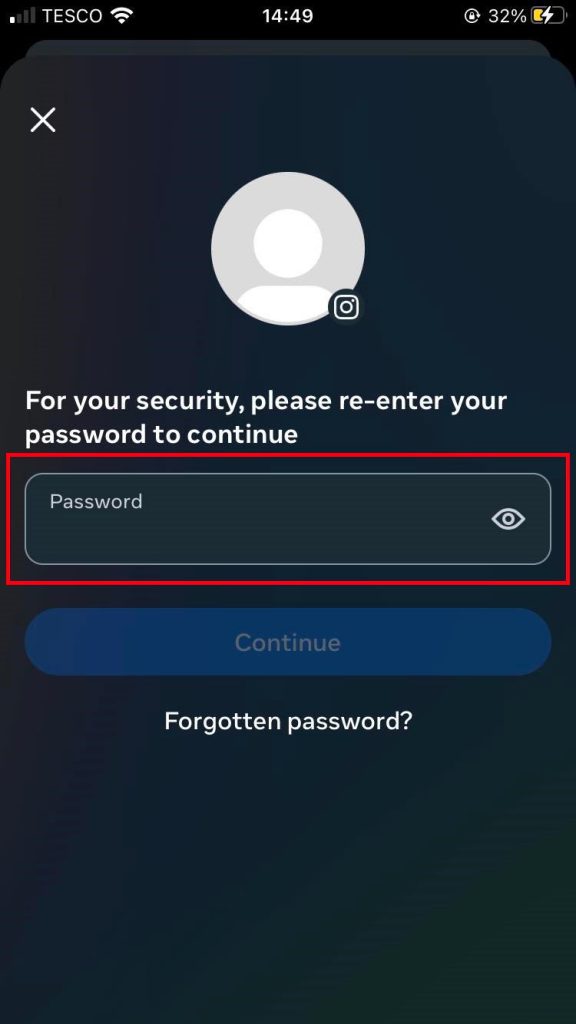
9.Re-enter your password to confirm the deactivation or deletion.
Can I Reactivate My Instagram Account?
Yes, it is possible to reactivate your Instagram account after deactivating it. Reactivate a deactivated Account- Open the Instagram app.
- Enter your username and password to log in.
- Then you get your account back!