As an iPhone user, you know how important it is to keep your device secure. Our smartphones have become indispensable tools, containing a wealth of personal and sensitive information. Losing your iPhone can not only be a hassle but also a serious security risk. To address this concern, Apple has introduced a new feature in iOS 17.3 called Stolen Device Protection, designed to provide an additional layer of security and peace of mind to iPhone users.
 By following these simple steps, users can activate Stolen Device Protection and enhance the security of their iPhone.
Understanding the Need for Enhanced Security
The ubiquity of smartphones has made them lucrative targets for thieves seeking to exploit valuable personal data. With the advent of biometric authentication methods like Face ID and Touch ID, accessing critical information on stolen devices has become increasingly difficult. However, there are still vulnerabilities that clever thieves can exploit, such as resetting passwords and accessing sensitive accounts. Recognizing this threat, Apple has integrated Stolen Device Protection into its iOS operating system to mitigate these risks and safeguard users' data.How Stolen Device Protection Works
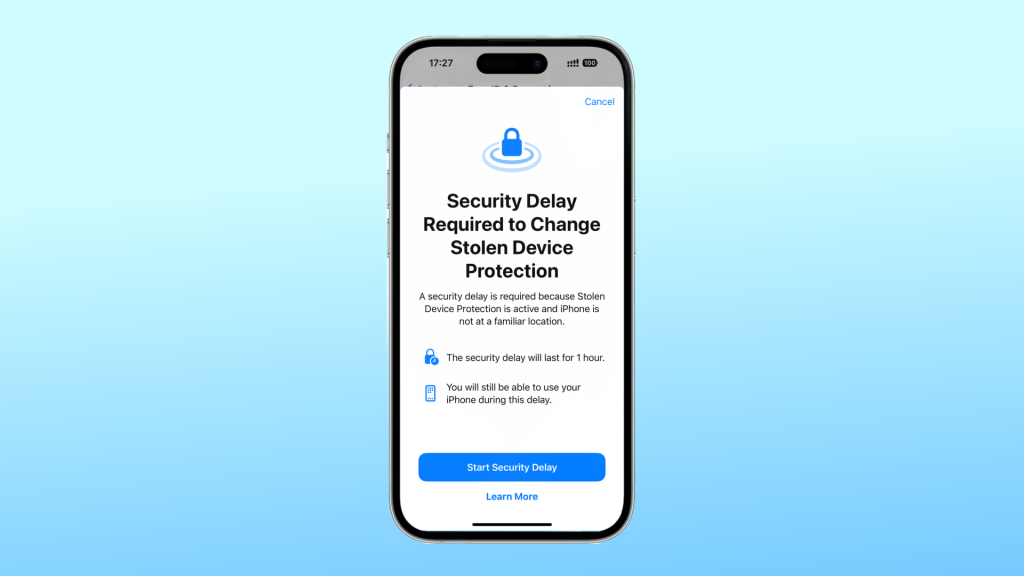
Stolen Device Protection operates by leveraging a combination of biometric authentication and location-based security measures. When enabled, certain actions, such as changing passwords or accessing sensitive information, require biometric verification, such as Face ID or Touch ID. Additionally, if the device is not in a familiar location, users must wait for a specified security delay before completing these actions, adding an extra layer of protection against unauthorized access, which is two-step protection for users.Activating Stolen Device Protection
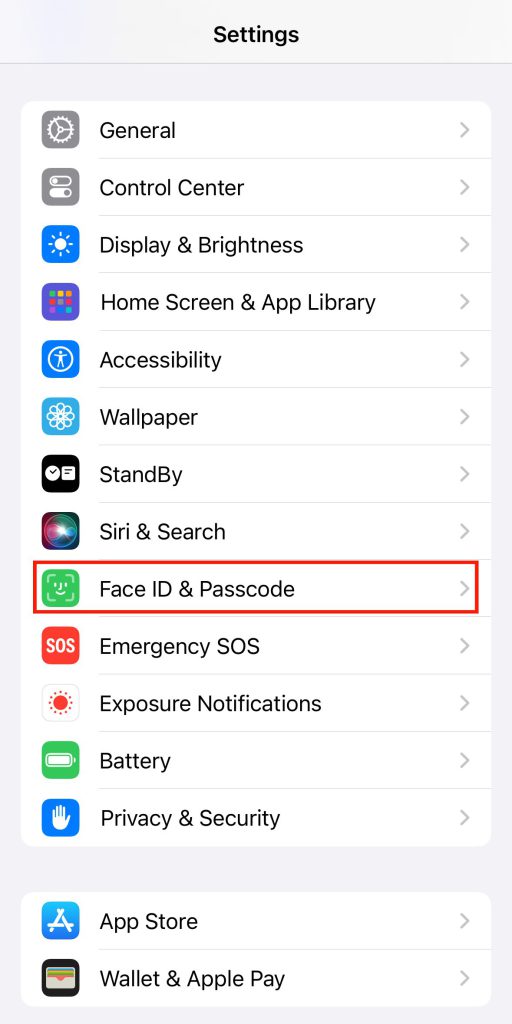
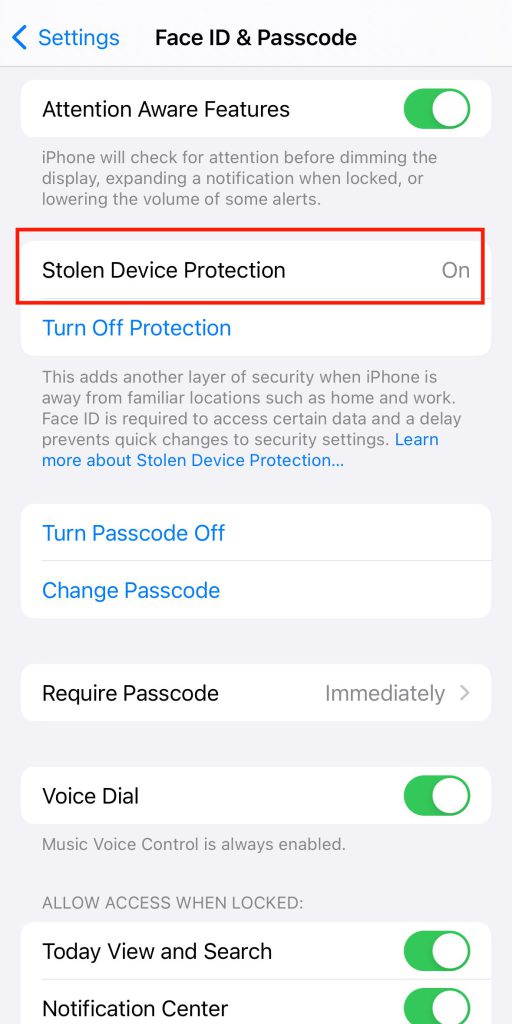
Enabling Stolen Device Protection is a straightforward process that can be done through the iPhone settings: 1.Navigate to Settings > Face ID & Passcode. 2.Enter your device passcode to access the security settings. 3.Locate the option for Stolen Device Protection and tap to enable it.
By following these simple steps, users can activate Stolen Device Protection and enhance the security of their iPhone.